Image Pyramids and Edge Detection
Small objects need small windows and large ones need large views, so we keep every size at once. Edges are where brightness jumps, and those jumps outline shape.
Why Does This Exist?
A detector trained at one size misses everything else. A face 200 pixels wide and the same face 25 pixels wide need different windows, and a single-scale template cannot cover both. Real cameras move, so scale changes constantly.
Pyramids fix scale by keeping every size. Edges fix lighting by keeping boundaries where intensity jumps, not absolute brightness. Together they let convolution features and camera geometry work across distances, and they feed warps in image transformations.
The one idea you need first
Blur then halve. A Gaussian blur removes detail finer than two pixels, so halving afterwards loses almost nothing. Without the blur, halving folds fine stripes into fake coarse patterns called aliasing.
Think of It Like This
Stepping back from a mosaic
Stand close to a tile mosaic and you see grout lines and single tiles. Step back and tiles merge into a nose. Step far back and only the head outline remains. The pyramid stores all three stands at once, and edge detection traces only the grout lines at each stand.
It stops at lighting. Stepping back never changes tile colour, but real edges fade in fog or glare. The analogy covers scale, not illumination.
How It Actually Works
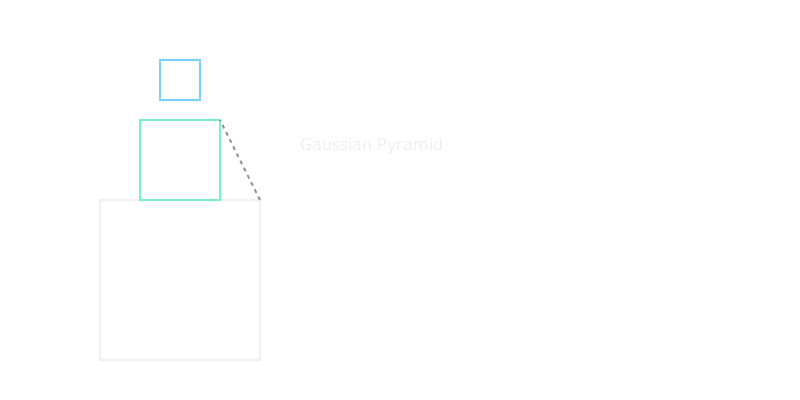
A Gaussian pyramid starts at level 0 and repeats two steps. Blur with a small Gaussian, then drop every second row and column. A image holds 4096 pixels. Level 1 is with 1024 pixels. Level 2 is with 256 pixels. Each level keeps one quarter of the pixels below it.
A Laplacian level stores what blurring removed. It subtracts the expanded coarser level from the current level, so only the lost detail remains. That detail compresses well because most values sit near zero.
Sobel measures the slope of brightness. Its horizontal kernel is . Center it on a pixel, multiply left by and right by , and the sum is the local rise. Canny chains four steps: Gaussian blur, Sobel gradients, non-maximum suppression that thins wide ridges to one pixel, then hysteresis that keeps weak pixels only when they touch strong ones.
Worked example
Take one image row with values . Apply in valid mode and take the absolute value.
Position 0 uses : , absolute . Position 1 uses : . Position 2 uses : . Position 3 uses : . Position 4 uses : , absolute .
The output is . Flat wall gives and . The wall-to-door jump from to gives and . The same jump appears at both pyramid levels that still resolve it, then vanishes when blur erases it. That is why the diagram shows 64 shrinking to 32 then 16 beside Sobel peaks of 78 and 84 feeding one edge map.
Code
The point is the check. A one-line Sobel on a scanline should spike exactly where the eye sees the boundary, and stay near zero on flat paint.
import numpy as np
def simple_sobel(row: np.ndarray) -> np.ndarray: kernel = np.array([-1, 0, 1]) edges = np.convolve(row, kernel, mode="valid") return np.abs(edges)
row = np.array([10, 12, 11, 90, 95, 92, 10])print(simple_sobel(row)) # -> [ 1 78 84 2 85]The printout matches the hand computation: on flat paint, and across the to step, on the plateau, down the far side.
Watch Out For
Running Sobel before blurring
Derivatives amplify high-frequency noise, so one speckled pixel can outscore a real boundary. The symptom is a snowstorm edge map where every grain gets outlined and true contours drown. Blur with a Gaussian of sigma around 1 pixel first, then differentiate, which is exactly what Canny orders.
Reusing one Canny threshold pair everywhere
Hysteresis needs a high and a low threshold matched to image contrast. Copying and from a tutorial onto a dim indoor photo deletes real edges, while the same pair on sunlit concrete keeps texture as edges. The symptom is all-or-nothing maps across a dataset. Calibrate per lighting band or set thresholds from the gradient histogram, such as the 70th and 90th percentiles.
The Quick Version
- Gaussian pyramids blur then halve, so 64 becomes 32 then 16 with one quarter of the pixels per level.
- Laplacian levels keep only the detail lost between sizes, which compresses well.
- Sobel with turns the step from 11 to 90 into 78 and 84, near zero elsewhere.
- Canny blurs, differentiates, thins to one pixel, then links weak to strong with hysteresis.
- Blur before differentiating, and retune Canny thresholds per contrast band.