Comparison
Cursor vs GitHub Copilot vs Claude Code
Comparing the leading AI coding assistants: a dedicated IDE, an IDE extension, and an autonomous CLI agent.
Verdict: Use GitHub Copilot for simple autocomplete, Cursor for deep codebase refactoring in a visual IDE, and Claude Code for autonomous terminal-driven engineering tasks.
Quick Version (TL;DR)
Comparing the leading AI coding assistants: a dedicated IDE, an IDE extension, and an autonomous CLI agent.
The Short Answer
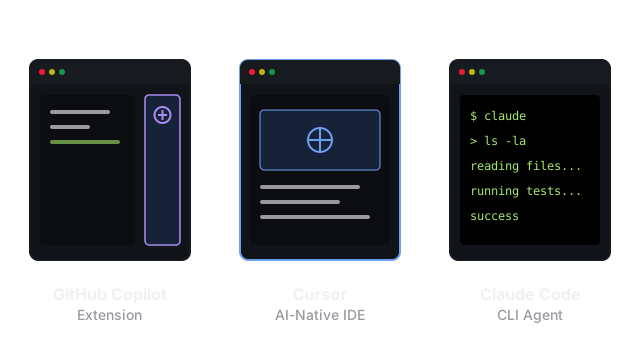
The AI coding assistant landscape has fractured into three distinct paradigms. GitHub Copilot represents the traditional extension model: it lives inside your existing editor (like VS Code) and acts primarily as an advanced autocomplete engine with a chat sidebar. Cursor is a hard fork of VS Code itself, allowing the AI to integrate deeply into the editor's core, reading your entire codebase and performing multi-file edits simultaneously. Claude Code steps outside the IDE entirely; it is an autonomous CLI tool that reads files, runs terminal commands, and executes test suites on its own to solve complex engineering tasks.
Where They Differ
| Feature | Cursor (The AI-Native IDE) | GitHub Copilot (The Extension) | Claude Code (The CLI Agent) |
|---|---|---|---|
| Form Factor | A standalone application (fork of VS Code). | An extension for VS Code, Visual Studio, IntelliJ, etc. | A terminal command (claude). |
| Primary Interaction | Command-K inline edits, multi-file Composer, tab-autocomplete. | Tab-autocomplete, chat sidebar. | Natural language prompts via the terminal. |
| Codebase Context | Deeply embeds the entire repository into its context window natively. | Uses open tabs and simple vector search to find context. | Explores the file system autonomously using tools (ls, cat, grep). |
| Autonomy | Semi-autonomous. Proposes large multi-file diffs for the user to review. | Manual. Only writes where the user places the cursor or asks in chat. | Highly autonomous. Runs commands, reads logs, and edits files in a loop. |
| Best For | Massive refactors and architecting new features from scratch. | Line-by-line assistance in familiar, enterprise-mandated editors. | Fixing complex bugs or running sprawling multi-step terminal workflows. |
Choose Cursor When
- You want the AI to orchestrate large, multi-file refactors and feature builds.
- You are comfortable abandoning your current IDE installation for a VS Code fork.
- You need deep codebase context indexing where the AI natively understands your architecture without manual guidance.
Choose GitHub Copilot When
- You are locked into a specific enterprise environment or use IDEs other than VS Code (like Visual Studio or IntelliJ).
- You primarily want frictionless, low-latency line completions as you type.
- You prefer the AI to remain a passive assistant rather than an active driver of the codebase.
Choose Claude Code When
- You have a complex issue (like "fix the failing tests in this directory") that requires running commands and reading output.
- You want an agent that works completely in the background without needing a visual editor open.
- You prefer interacting with your system via the terminal and value an agent that can act on filesystem and shell tools natively.
What People Get Wrong
Assuming Extensions Match Native Integration
Many developers assume that installing the GitHub Copilot extension into VS Code provides the exact same capabilities as Cursor. It does not. Because Cursor is a fork of the editor itself, it intercepts core UI rendering, file saving, and language server protocols, allowing for features like the multi-file Composer and inline diff tracking that an extension simply cannot access.
Treating CLI Agents as Just Chatbots
Using Claude Code merely to generate code snippets is a waste of its architecture. Unlike IDE assistants, Claude Code is a loop that can verify its own work. If you don't let it run tests, view logs, and auto-correct its mistakes before you review the result, you are missing the point of an autonomous CLI agent.