Visual explainer
Edge Detection and Gradients
Follow pixel differences through Sobel, gradient direction, thinning and connected edges, with a worked 3×3 patch.
1. Brightness Is Not An Edge
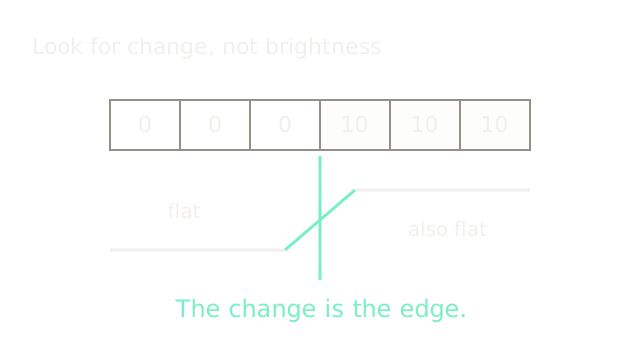
Edge detection measures changes between neighboring pixels. Both flat regions have zero change, even though one is brighter. The boundary appears where the values jump. We'll follow grayscale values through a gradient calculation and then build edge candidates.
2. Keep The Sign
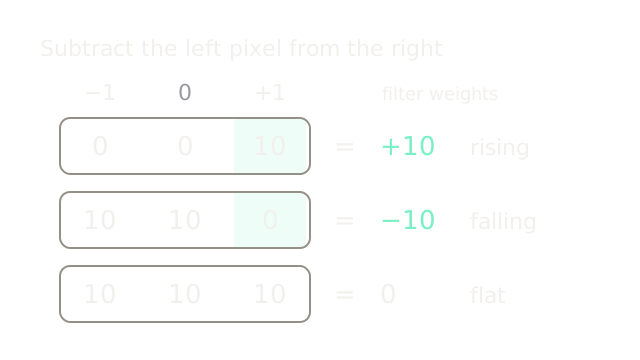
Multiply each pixel by the coefficient above it and add. The middle contributes zero. Positive and negative responses distinguish rising from falling brightness; both can be edges. Taking strength too early discards this direction information.
3. Weight Nearby Evidence
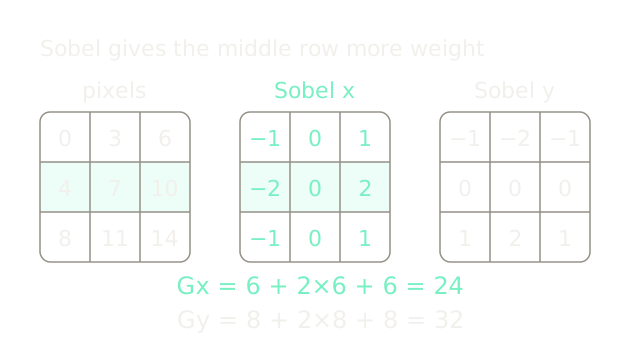
Sobel's kernels combine differences with weights 1, 2, 1. Every row here changes by 6, giving Gx = 24; every column changes by 8, giving Gy = 32. Apply the displayed kernels without flipping or normalization.
4. Read The Gradient
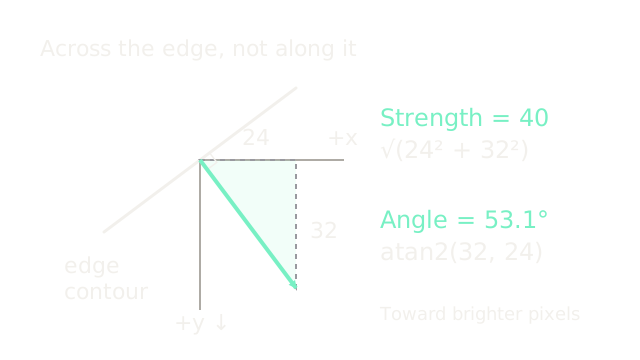
The components form a vector: √(24² + 32²) = 40. Its angle is atan2(32,24) = 53.1°. Because image y points down, this positive angle turns clockwise. The vector crosses the equal-brightness contour at a right angle.
5. Keep Only The Peak
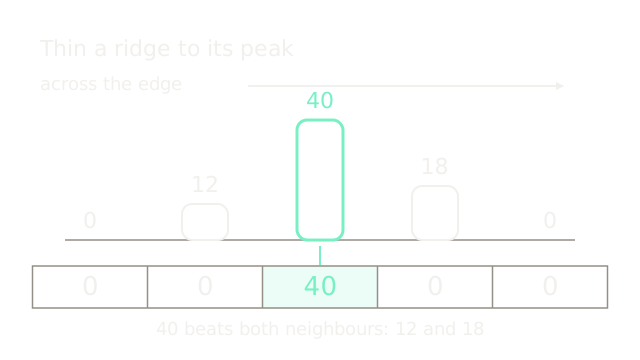
Compare magnitudes along the gradient, across the edge. In this separate horizontal example, 40 exceeds both shoulders, 12 and 18. The output strip retains the peak. A strength threshold alone would not necessarily thin this ridge.
6. Connect Weak Candidates
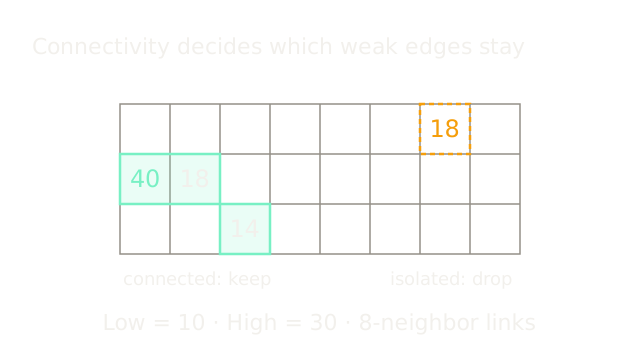
After thinning, candidates above 30 seed a chain. Values between 10 and 30 survive if connected to a strong seed; values below 10 are discarded. The diagonal link counts under 8-neighbor connectivity. The isolated 18 has the same strength but a different outcome.
7. Noise Has Gradients Too
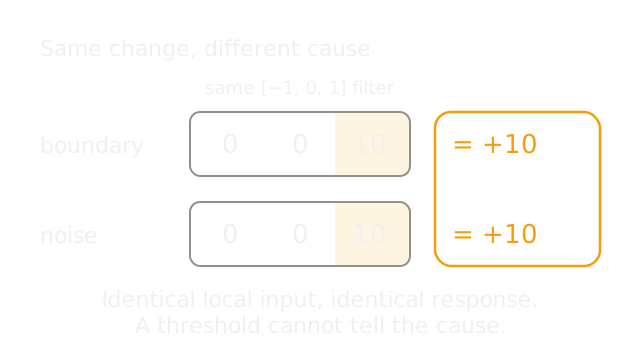
The filter sees values, not their origin. Identical local windows produce identical responses. A threshold on this response cannot distinguish a true boundary from a noise spike; neighboring context and smoothing can help.
8. Smoothing Costs Detail
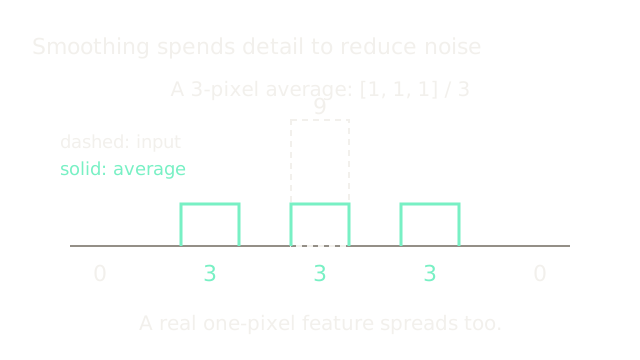
This simple box average turns [0,0,9,0,0] into [0,3,3,3,0], using zero padding. It illustrates the trade-off: reduced peak strength and wider support. Canny typically uses Gaussian smoothing, whose scale also controls which fine details survive.
9. Assemble The Pipeline
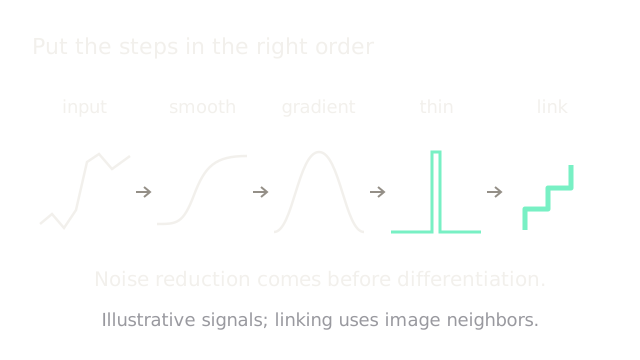
The Canny sequence smooths before taking derivatives, then thins gradient ridges and applies hysteresis. These sketches show each stage's role; the final linking step operates on neighboring pixels in the image.
10. Where It Breaks
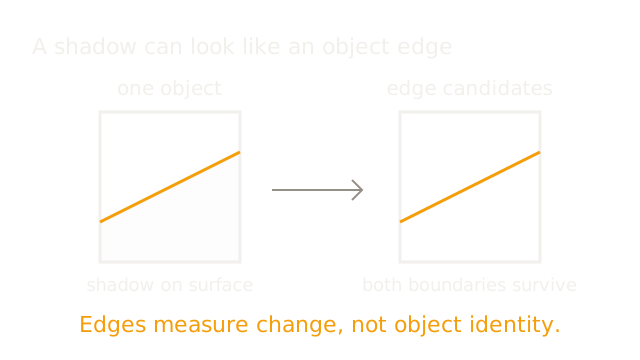
A shadow, surface texture, and an object's silhouette can all produce strong changes. An edge map may contain all three, plus gaps. Recognizing or segmenting an object requires more than gradients; clean-looking contours are not proof of correct object boundaries.
The Quick Version
- Edges are local brightness changes, not bright regions.
- Signed differences distinguish rising and falling brightness.
- Sobel weights nearby differences; this patch gives 24 and 32.
- The gradient has strength 40 and points across the contour.
- Thinning compares magnitudes along the gradient direction.
- Hysteresis preserves weak candidates connected to strong seeds.
- Noise and real boundaries can share a local response.
- Smoothing suppresses noise while weakening fine detail.
- Canny smooths, differentiates, thins, and links candidates.
- Gradients alone cannot identify which boundaries belong to objects.