Pillow Image IO in Python
The friendly image file reader and writer: it opens, converts, resizes and saves photos with one object per image.
Why Does This Exist?
Every vision program starts before any array exists: a JPEG on disk must become pixels, and a result must become a file again. Pillow does that border crossing. It opens dozens of file formats, exposes mode and size on the object, and converts, resizes and crops before NumPy ever sees the data. Version 12.3.0 was the current release verified in-session.
This page covers the object contract, one resize fixture, and appropriate use. Pixel math after loading lives in reading and writing images.
Think of It Like This
A post office for photos
Letters arrive in many envelopes and sizes. The post office opens each one, stamps its size and contents on the outside, trims or copies it to the requested size, and seals the reply in the right envelope.
Pillow is that counter. The image object is the stamped parcel, mode and size are the stamps, and saving picks the envelope. The analogy stops at delivery guarantees: a parcel can be re-sealed losslessly, but a JPEG re-save is lossy every time.
How It Actually Works
Input is a file path or byte stream plus an operation. Output is an Image object carrying mode such as RGB or L and size as , or a saved file. Purpose is file IO plus light geometry and color conversion: open, convert, resize, crop, rotate, save. Appropriate use is dataset scripts, thumbnails, and format conversion. It is not a tensor library, so hand arrays to NumPy or a framework after the pixels are right.
Resize fixture
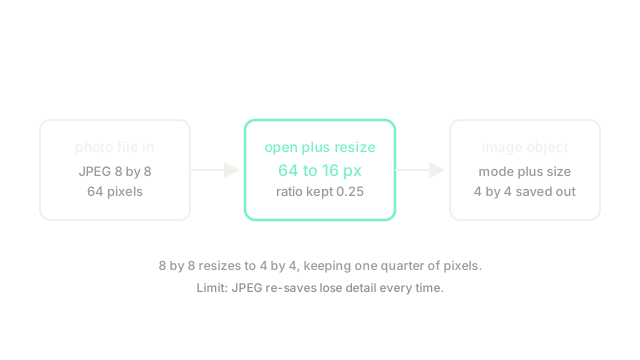
Take an 8 by 8 photo, so pixels. Resize to 4 by 4, so pixels. The ratio kept is . Each output pixel summarizes a 2 by 2 block, which is why text smaller than 2 pixels does not survive the trip.
Code
Size and count arithmetic in plain Python, the rule behind the call:
def kept_fraction(w0: int, h0: int, w1: int, h1: int) -> float: return (w1 * h1) / (w0 * h0) # output pixels over input pixels
print(kept_fraction(8, 8, 4, 4)) # -> 0.25print(4 * 4) # -> 16One quarter of the pixels survive halving each side, exactly 16 of 64.
Watch Out For
Saving a preview JPEG over the only copy
save with default JPEG quality recompresses, and each re-save loses detail. The symptom is a dataset that gets blurrier every script run with no code change in the model. Fix it by keeping masters lossless and writing previews to separate paths.
The Quick Version
- Pillow maps files to image objects carrying mode and size, then back to files.
- An 8 by 8 photo holds 64 pixels and a 4 by 4 resize keeps 16, one quarter.
- Convert mode early so downstream arrays see the channels they expect.
- Use it for IO, thumbnails and conversion, then hand off to array code.
- Never re-save lossy previews over master files.