Chat Templates
Models only understand flat sequences of tokens, so chat templates use special control tokens to format distinct user and assistant messages into a single continuous string.
Why Does This Exist?
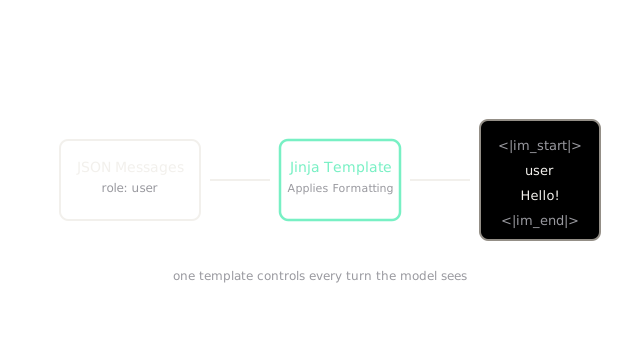
When you interact with an LLM via an API, you send a structured list of messages—usually a JSON array where each object has a role (like "user" or "assistant") and content. But a neural network cannot process a JSON array. At its core, an LLM only accepts a single, flat, one-dimensional list of token IDs.
Chat templates are the bridge between your structured API request and the flat sequence the model demands. They dictate exactly how to concatenate the back-and-forth conversation into a single string, injecting special "control tokens" to clearly mark where one person's turn ends and the next begins. Without a chat template, the model wouldn't be able to distinguish whether a block of text was an instruction from the developer, a question from the user, or its own previous answer.
Think of It Like This
Formatting a play script for a single actor
Imagine you have a beautifully formatted script for a play, with clear headings for "Director," "Actor A," and "Actor B." Now imagine you have to feed this entire script into a teleprompter that only supports continuous, unformatted text.
To ensure the reader doesn't get confused, you invent special tags. Every time the director speaks, you type [DIRECTOR_START] before their line and [DIRECTOR_END] after. You do the same for the actors.
A chat template is the script-to-teleprompter converter. It takes the neatly organized conversational roles and flattens them into a tagged sequence that the model can linearly read and interpret.
How It Actually Works
The role of control tokens
During tokenizer training, developers reserve a few special, non-text tokens (often called control tokens or special tokens). These tokens are never generated by regular text splitting; they exist solely for structural formatting. For example, the Llama 3 models use tokens like <|start_header_id|> and <|eot_id|>.
The chat template is simply a set of rules—often written in a templating language like Jinja—that iterates through the structured message list and wraps each message in these control tokens.
Flattening the conversation
When you send a request consisting of a system prompt, a user message, and a previous assistant reply, the chat template processes it into a single string.
It might format it like this:
<|system|>You are a helpful assistant.<|end_of_turn|><|user|>Hello!<|end_of_turn|><|assistant|>Hi there!<|end_of_turn|><|user|>How are you?<|end_of_turn|><|assistant|>
Notice that the final message ends with the <|assistant|> control token, but lacks an end token. This is intentional. The template leaves the sequence "open" so that the model's next-token prediction naturally begins generating the assistant's actual response.
Why mismatching templates ruins performance
Every model family (Llama, Mistral, ChatGLM) is trained on a specific chat template. During its fine-tuning phase, the model learned that <|im_start|>user signifies the beginning of a user instruction.
If you take a Mistral model and feed it a prompt formatted with Llama's <|start_header_id|> template, the model will be completely disoriented. It won't recognize the structure, it won't understand who is speaking, and its performance will degrade catastrophically—often resulting in endless looping, hallucinated roles, or sudden stops.
Code
Here is a simplified example of how a templating engine (like Jinja) processes a structured message list into a flat string using a basic ChatML format.
import jinja2
# The raw structured messages from the APImessages = [ {"role": "system", "content": "You are a helpful bot."}, {"role": "user", "content": "What is 2+2?"}]
# A typical Jinja chat template stringtemplate_str = """{% for message in messages %}<|im_start|>{{ message['role'] }}{{ message['content'] }}<|im_end|>{% endfor %}<|im_start|>assistant"""
# Render the templatetemplate = jinja2.Template(template_str.strip())flat_prompt = template.render(messages=messages)
print(flat_prompt)# -> <|im_start|>system# -> You are a helpful bot.<|im_end|># -> <|im_start|>user# -> What is 2+2?<|im_end|># -> <|im_start|>assistantThis resulting string is what actually gets tokenized and passed into the LLM's forward pass.
Watch Out For
Assuming the API handles the template perfectly
When using high-level frameworks or hosted APIs, it's easy to assume the provider is automatically applying the correct chat template for the model you selected. While usually true, open-weights models served through generic endpoints sometimes default to a standard template (like ChatML) that does not match the specific model's training. Always verify that your serving infrastructure is applying the exact template the model expects.
Token limits applying to the flattened string, not the JSON
When you calculate whether a conversation fits inside a model's context window, you must count the tokens of the rendered chat template, not just the raw text of the JSON messages. The control tokens injected by the template consume real space in the context window. In a chat with hundreds of short back-and-forth turns, the overhead of the template tokens can eat up a significant portion of your budget.
The Quick Version
- LLMs cannot process structured JSON; they only accept a flat, one-dimensional sequence of tokens.
- Chat templates convert structured back-and-forth messages into a single continuous string.
- They do this by injecting special control tokens (like
<|im_start|>) to mark the boundaries between different speakers. - A model must be queried using the exact chat template it was fine-tuned on, otherwise it will fail to understand the conversation structure and produce degraded outputs.